Windows 2000 Minesweeper recreated in Godot 4.1
TL;DR
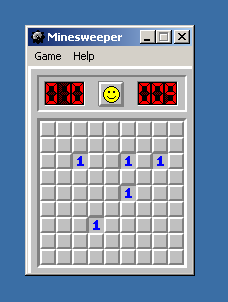
Play the game at minesweeper.jayd.ml!
See the AGPL source code here!
Why??
I decided to recreate Windows 2000 minesweeper in Godot 4.1 as accurately as I reasonably could. I wanted to get more familiar with Godot, and wanted a project where I didn’t have to worry about what to do, only how to do it. In the end, I ended up going down the rabbit hole and spending 30% of my time on the actual game and the other 70% on menus, dialogs, and other triviality.
It was fun working on stuff that I’d never get past a PM, like black and white mode, and recreating the ding/blinking window animation when you click on a window while a dialog is open.
The overall experience with Godot was very pleasant - working with Godot has dispelled any desire I had to make my own game engine. Godot is lightweight and well thought out.
Overall Approach
I wanted to recreate Minesweeper as pixel-perfect as I could. Depite my best efforts (see Fonts below), I couldn’t get Godot to render the Windows 2000/9x bitmapped fonts in a pixel perfect way, so the approach was to take screenshots in a VM and only render text with Godot where absolutely needed (highscores).
Font Rendering Purgatory
I spent way, way too much time fiddling with fonts trying to get them to work. In the end I got something that was close enough and try not to think about it too much.
Minesweeper in Windows 95 uses the bitmapped “MS Shell Dlg” font.
At first I tried to be clever and pull bitmapped fonts out of the WINE project, but those ended up not being an exact match (I guess whoever made them for WINE wanted them to be different?). They also only worked at certain pixel sizes.
Eventually I settled on a recreation called “W95FA” by Alle Sava. Sadly, the font’s website has been taken down since I started this project. For some reason Godot won’t render this font right, and I tried about every option in Godot I could, and its just still not quite right.
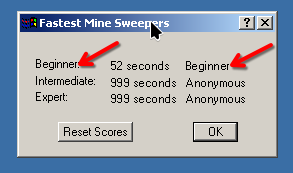
I rabbit holed on this for way too long, it almost killed the project. Looking back it was a silly thing to get hung up on.
DPI Scaling
I ended up rolling my own crazy DPI scaling and not using Godot’s built in stuff.
I wanted a combination of
- Integer/pixel scaling, no fuzzy up or downscaling
- No fixed aspect ratios - should use the entire canvas
- Matching the browser window’s DPI automatically
- Automatically changing the DPI when the DPI of the document changes.
This was surprisingly annoying to do. I ended up doing this by injecting some Javascript to read the CSS DPI, and then it calls a callback to update the Godot scaling.
There is a “change dpi” button on the right of the screen, helpful for when you are playing comically large games.
Custom Splash Screen
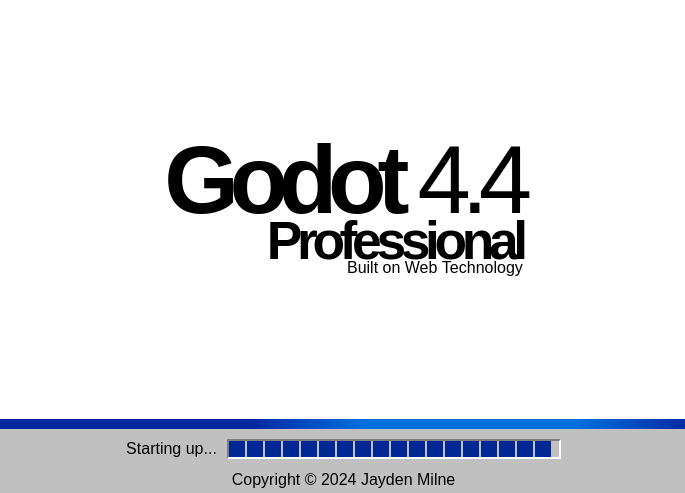
One thing I think is really important for a web exported project is to make a custom splash screen. I threw this one together, complete with gradients and animations, and I think it really elevates the experience to see that. It’s just a little thing to show that the creator cared and went the extra mile.
Cheats
I implemented the original XYZZY + Shift + Enter cheat.
One thing I remember thinking about and being frustrated by as a kid were the limits in the Custom Size dialog. Why did they have to hold me back??
So in my version, when you press the [?] button in the corner of the custom
size dialog, it turns off all the bounds checks, and you can do stupid things
like this:
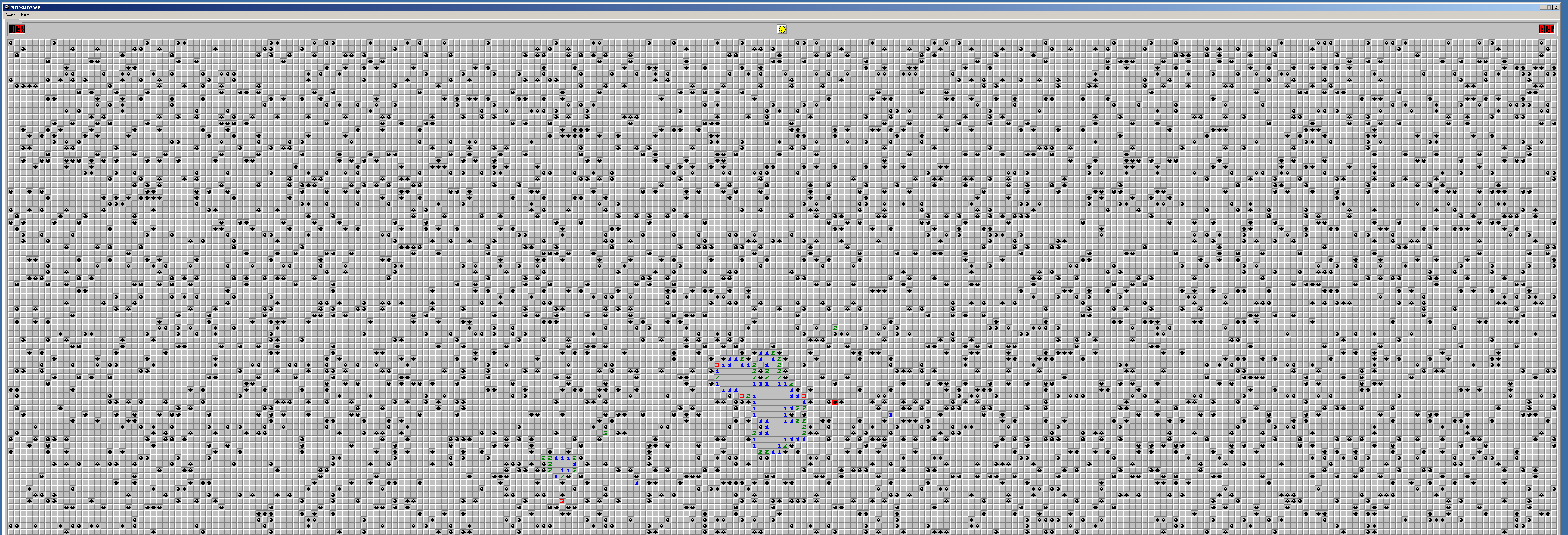
Note that this completely disables all bounds checking, so you can break your game easily with this. Since it tries to save and load your game too, it may lock up if you do something dumb and then lock up again every time you reload the page. Clear your cookies and site data if this happens to you.
The only other change is that I made it so it saves your game to localstorage, so if you reload the page your game resumes. You could probably cheat with this, but I think its a huge quality of life feature.
The part where I gave up right before shipping it for a year because I’m a perfectionist
I thought I had done every last feature, and was about to triumphantly ship and make this blog post, when I learned about chording, which allows you to use Left + Right Control Click to reveal more cells at once.
The ship train derailed and was a smoldering wreck from December 2023 until March 2025, when I finally decided to finish it and added chording. I’m continually amazed by my ability to procrastinate. Then I procrastinated this blog post until Feb 2026!
Overall
Using Godot was quite pleasant, I’m proud of how this project turned out. Maybe I’ll actually play Minesweeper now!